Fliss POS
Bill in seconds, keep queues moving
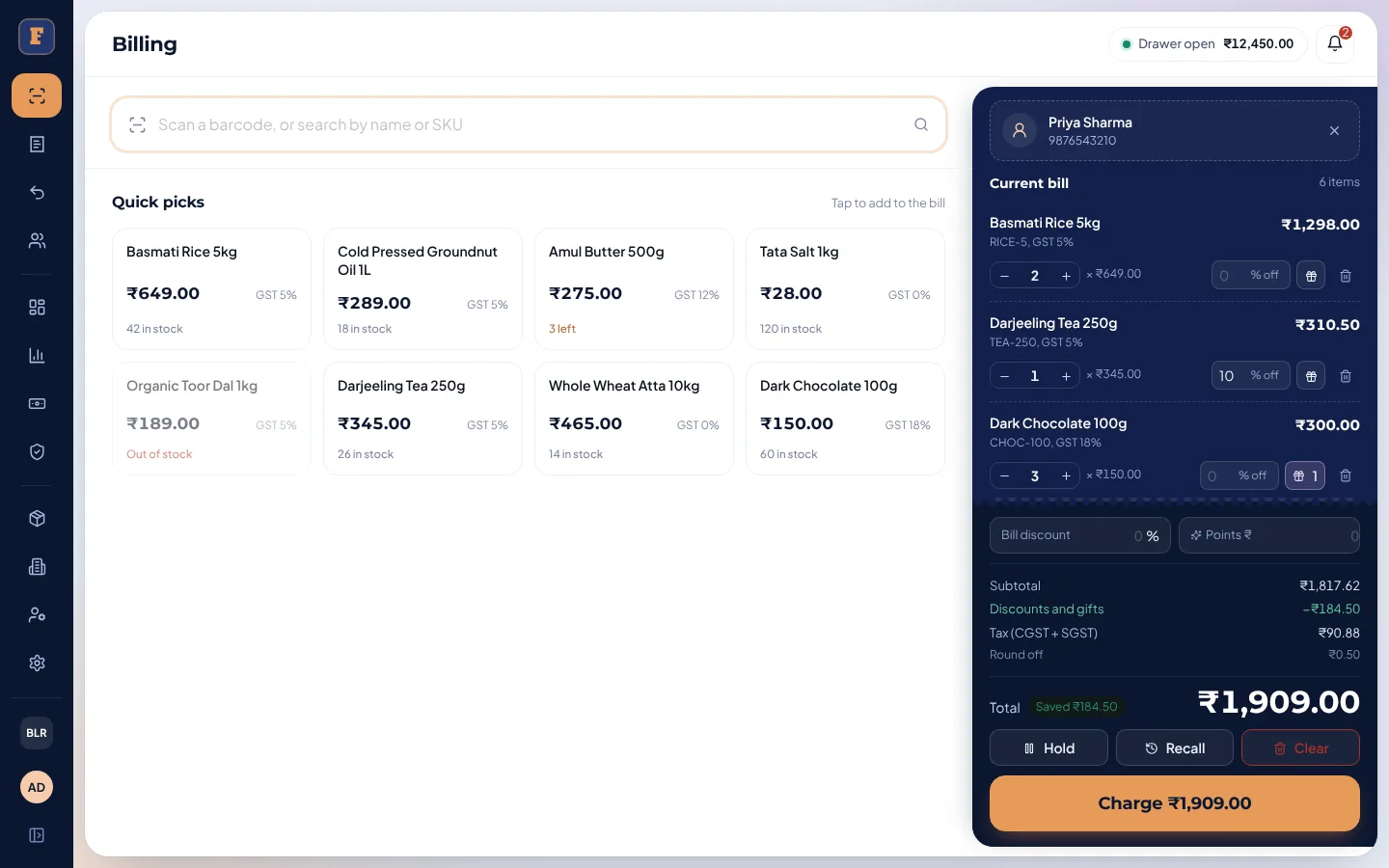
Scan a barcode or tap a quick pick, adjust quantity and discount, and charge. Fliss POS works out GST on every line and keeps your cash drawer and stock in step.
What Fliss POS does
Barcode and quick picks
Scan, search by name or SKU, or tap your best sellers from the quick-pick grid.
GST on every line
Each item carries its GST rate. The bill shows CGST and SGST and rounds off correctly.
Discounts and points
Item or bill discounts in percent or rupees, and loyalty points for regulars.
Hold and recall
Park a bill while a customer fetches one more thing, and serve the next person.
Stock as you sell
Every sale updates stock. Out-of-stock and low-stock items are marked on the screen.
Drawer and day end
Opening cash, sales by payment type and a clean close at the end of the day.
Questions
Which printers and scanners work?
Standard thermal receipt printers and USB or Bluetooth barcode scanners. We help you set them up.
Can I see sales from home?
Yes. Sign in from your phone to see today’s sales, GST collected and stock alerts.
More from the Fliss suite
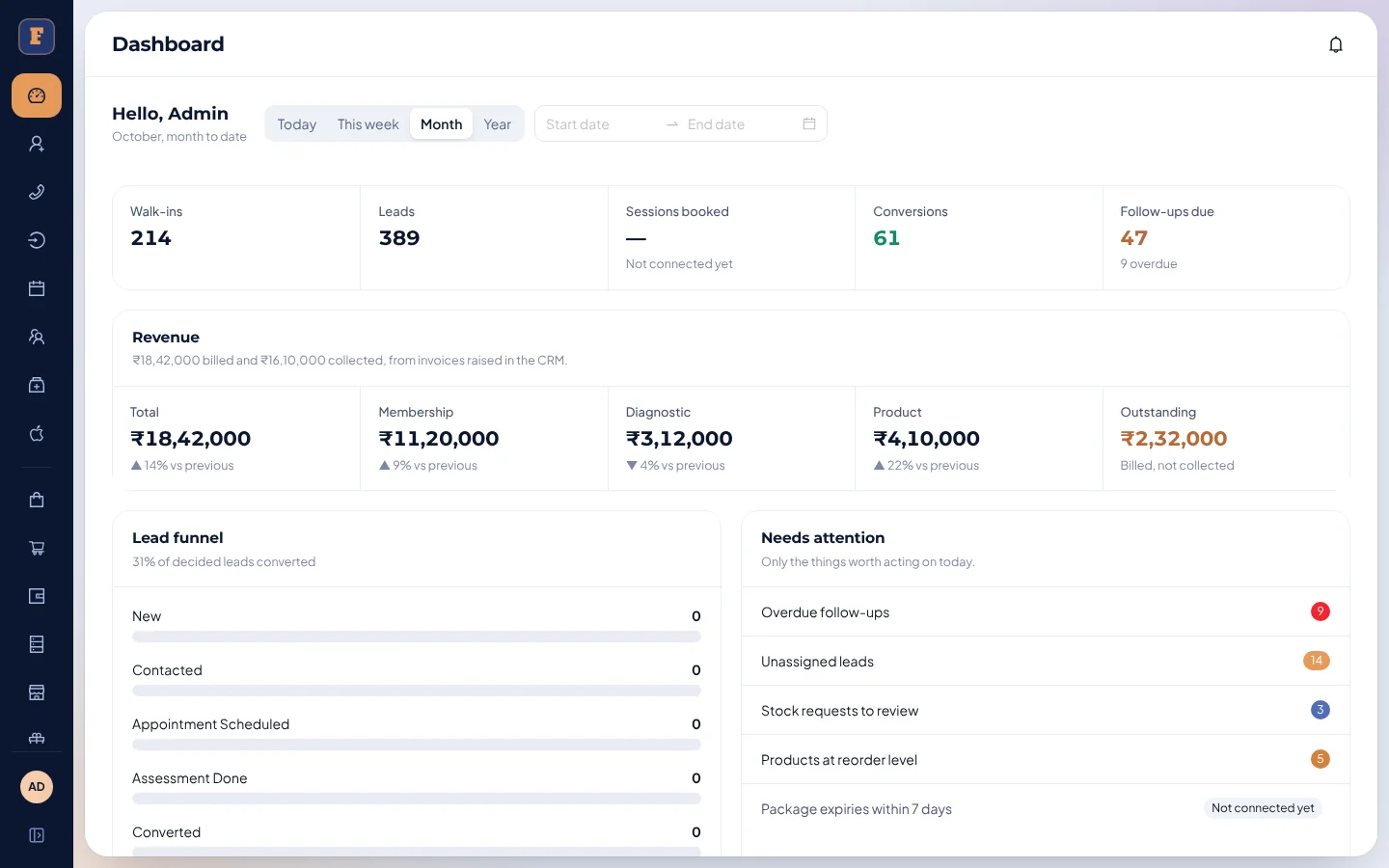
Fliss CRM
Capture every lead, track the pipeline and never miss a follow-up.
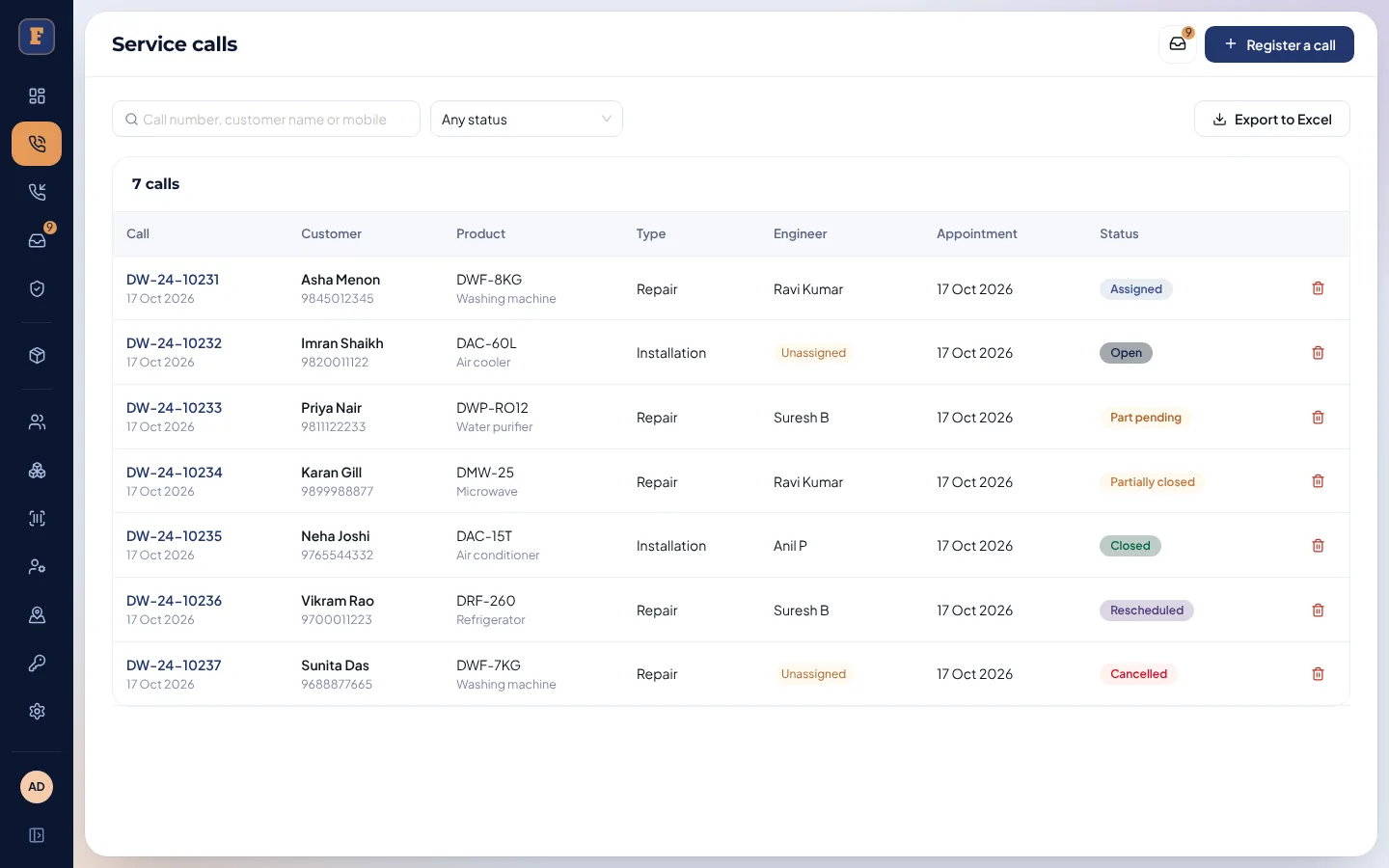
Fliss Service CRM
Log service calls, assign engineers and close calls with OTP sign-off.
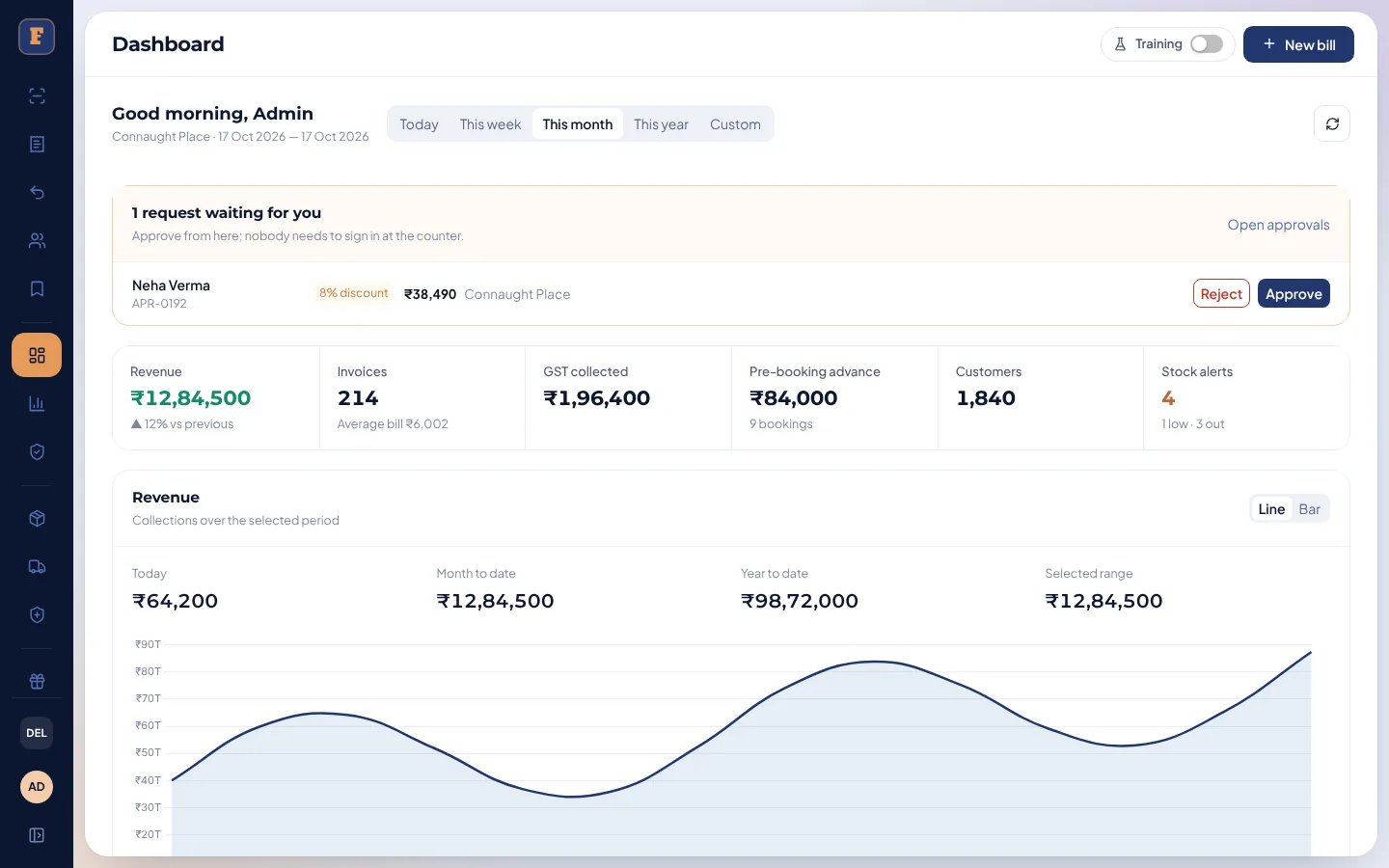
Fliss Retail POS
Barcode billing, purchases, returns and live stock across stores.
See Fliss POS with your own data
A free demo takes about 30 minutes, on a call or at our Noida office.